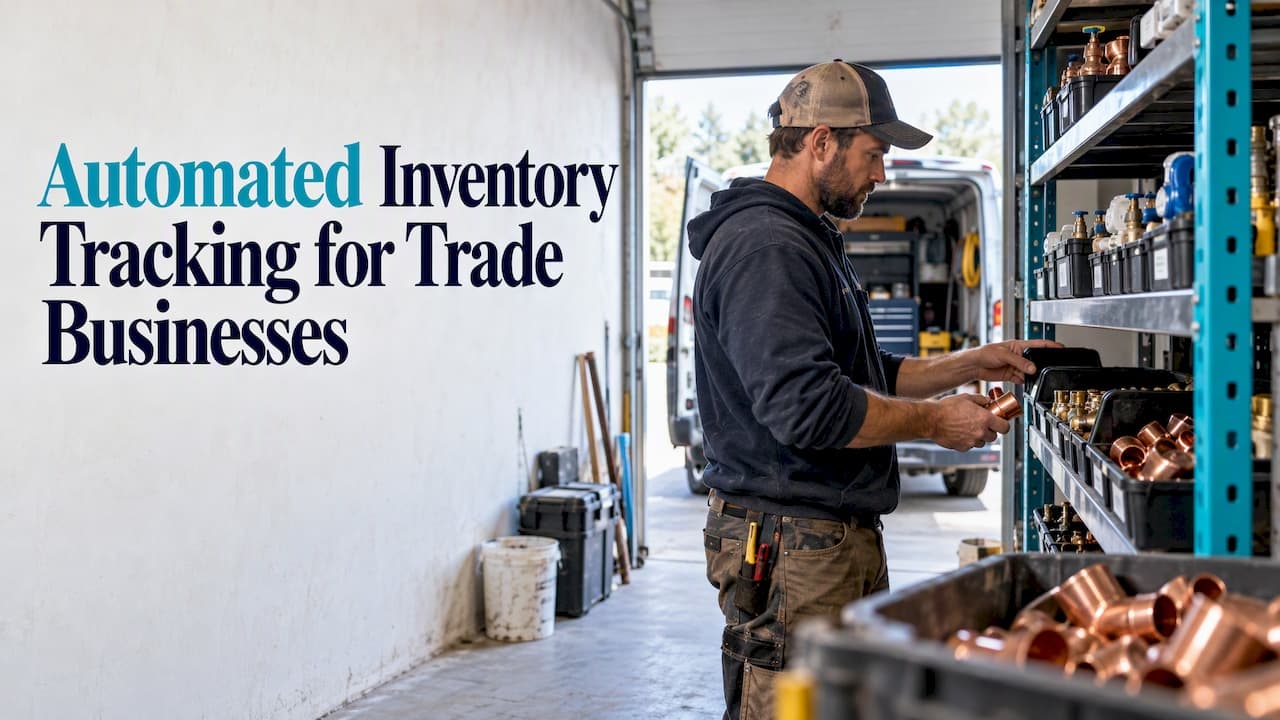
Automated inventory tracking means your software updates stock counts when something happens, so nobody retypes numbers from a receipt or a clipboard. For a trade business, the most reliable trigger is the job itself: when a quote becomes an invoice, the parts on it come off the shelf in your records. That keeps counts close to reality, flags low stock before a crew is stuck, and cuts the evening admin pile.
This guide explains how automated tracking works for electrical, plumbing, HVAC and other field service companies, which methods fit which size of business, what the research says about results, and how to choose and set up a system without a six-month project.
TL;DR
- Automated inventory tracking keeps a live digital record of stock and updates it from real events: receiving, moving to a van, using on a job, invoicing.
- For small and mid-sized trade teams, tying stock to quotes and invoices removes most manual counting without special hardware.
- Barcodes and RFID add accuracy, but they add equipment and training too. Add them when invoice-driven updates are no longer enough.
- Research on construction SMEs links digital material tracking to better inventory accuracy and less waste.
- Pick software that handles stock, scheduling, invoicing and client records together, so the data never has to be copied between tools.
Table of Contents
- What automated inventory tracking actually is
- How it works across a warehouse, vans and job sites
- Barcodes, RFID or invoice-driven updates?
- What the research says about results
- Why invoicing is the best trigger for small trades
- Our perspective: stock should follow the work
- What to check before you choose software
- How to set up automated tracking in a week
- Costs to expect
- Where WrenchCentral fits
- FAQ
- Sources
What automated inventory tracking actually is
Manual tracking depends on a person remembering to write something down. Someone takes six fittings from the shelf, uses four on a job, leaves two in the van, and the count in the spreadsheet is wrong by the end of the day. Multiply that by a crew of five and a few hundred part numbers, and the spreadsheet becomes fiction.
Automated tracking replaces the remembering step. Software holds a quantity for each item and location, and it changes that quantity whenever a connected event happens. The event can be a scan, a purchase order marked received, or an invoice sent to a customer. The staff member does the work they were doing anyway, and the stock record follows.
Three things separate real automation from a nicer spreadsheet:
- Updates come from events, not from counting sessions. Counts change as work happens.
- Alerts are built in. The system tells you when a part falls below the level you set, instead of you finding out on the job.
- Records connect. Stock links to the customer, the job and the invoice, so you can see where a part went and what you charged for it.
How it works across a warehouse, vans and job sites
Trade stock lives in more places than a retail stockroom. A typical small contractor has a shop or garage, one or more vehicles, and materials dropped at customer sites. A bigger operation may run a central warehouse that restocks each van.
The pattern that scales is simple: treat each place as a location, and record every move between locations. Stock arrives at the shop, moves to a van, gets used on a job, or comes back. Each step changes a quantity and, ideally, notes who did it. Whether the move is recorded by a scan or by the invoice, the record is the same.
This is also where systems fail. Contractors lose trust in inventory tools when the tool captures what happens in the stockroom but misses what happens in the field. If the van is a blind spot, the numbers drift and people go back to guessing. A system worth buying has to reflect field usage, not only receiving.
Research on construction sites shows the same logic in a more technical form. A 2010 study of an RFID-based site material system had staff scan labels on arriving materials, after which the system created an admission sheet and updated inventory automatically.
Barcodes, RFID or invoice-driven updates?
There are three broad ways to feed an inventory system. Each suits a different business.
Invoice-driven updates
You list the parts and materials on a quote or invoice, and stock levels drop when the invoice goes out. There is no scanner, no labeling project and no new habit for the crew beyond writing up the job properly. The trade-off is that it only captures what gets billed. Parts used on warranty work, wasted or lost still need a manual adjustment.
For owner-operators and small teams, this is usually the best return for the effort, because the invoice is something you already create for every job.
Barcodes
Barcodes make each item or bin scannable with a phone or handheld reader. They are accurate and cheap per scan, but you must label items, scan consistently and train people. They shine when you stock many similar parts, or when several people pull from the same shelf.
RFID
RFID tags carry a unique code that antennas read without a direct line of sight. A 2008 peer-reviewed study on inventory accuracy describes how this differs from barcodes: readers collect tag data through antennas and pass it to a computer system for processing. That is powerful for large warehouses or high-value tools. For most small trade shops it is more than the job calls for.
Which one should you pick?
| Situation | Best starting point |
|---|---|
| Solo tradesperson or 2 to 4 people, parts billed on every job | Invoice-driven updates |
| Growing crew, shared shelves, many similar parts | Invoice-driven plus barcode scanning for receiving |
| Central warehouse restocking many vehicles | Location-level tracking with scanning, invoices as the sales trigger |
| High-value tools or materials that go missing | RFID or tagged assets on top of the above |
Start with the lightest method that keeps counts trustworthy. You can add scanning later if the data justifies it.
What the research says about results
Most of the web content on this topic comes from software vendors, so it helps to look at independent studies, even if they cover construction rather than service trades.
A 2025 study of construction SMEs tested a digital procurement framework built on mobile apps, RFID and cloud systems. It reported a 35% improvement in inventory accuracy, a 34% reduction in order processing time and a 25% drop in material waste. These are results for one framework in one setting, not a promise for your business, but the direction matches what trade owners tell us: fewer surprises, less rework.

The 2010 site-materials study found another practical benefit. Automated systems can prevent work suspension caused by waiting for materials, because upstream suppliers are told when stock hits an alert level. For a trade crew, that is the difference between a van that has the part and a second trip.
Where automation falls short
- Garbage in, garbage out. If a tech skips the parts list on an invoice, the count is off.
- Setup takes discipline. You need clean item names, units and starting quantities.
- Field blind spots. A tool that only tracks the shop will not reflect van stock.
- Overbuilding. Adding RFID to a five-person business can cost more time than it saves.
Why invoicing is the best trigger for small trades
Many readers search for invoicing and inventory management software together, and there is a reason. The invoice is the one document that already says what was used, where and for whom.
When quotes, jobs and invoices live in the same system as stock, a chain forms:
- You build a quote with labor and parts.
- The customer approves it and the job goes on the schedule.
- The crew completes the work.
- You send the invoice, and the parts on it leave inventory.
- Low-stock alerts tell you what to reorder.
Nobody enters the same part twice. The price on the quote is the price on the invoice, and the quantity on the invoice is the quantity removed from stock. You also gain job-level insight: you can see what a type of job really consumes, and quote the next one more accurately.
When inventory sits in a separate app from invoicing, someone must reconcile the two. That is the exact chore people want gone, and the place errors creep in.
Our perspective: stock should follow the work
We built WrenchCentral around a simple belief: tradespeople should not have to run a second job as a data entry clerk. Every tool you add that does not talk to the others creates a gap, and gaps are where cash and time leak out.
So we treat inventory as a by-product of work you already do. You schedule the job with drag-and-drop planning that lays out efficient driving routes. You send a professional quote and then an invoice online. Stock levels update from that invoicing, and client details and job history sit in the same place. The crew gets from one job to the next with less downtime, and the office stops chasing numbers.
Our advice to owners: do not start by buying scanners. Start by getting every part onto every invoice, and keep one source of truth. If you outgrow that, you will know exactly why, and you will have clean data to move with.
— Artis
What to check before you choose software
Whether you choose us or something else, run any system through these questions.
- Does it fit your transaction flow? Quote to job to invoice should be one path, not three tools.
- Can it track by location? Shop, each van and a central warehouse should be separate places with transfers between them.
- Are there user permissions? Owners, office staff and techs need different access, and each change should be tied to a person.
- Does it work on your devices and connection? Crews often have weak signal in basements and rural sites. Test it where you work.
- Does it handle your billing needs? Taxes, deposits and your invoice format should be supported out of the box.
- Can you export your data? You should be able to leave with your item list and history.
- Is pricing predictable? Per-user subscriptions are easy to budget; hardware and implementation fees are not.
Also ask for a trial and run a real week of jobs through it. A demo with sample data tells you little. A week of your own invoices tells you whether the counts hold.
How to set up automated tracking in a week
You do not need a long rollout. A sensible plan for a small or growing team:
- List your parts. Start with the 50 to 100 items you use most. Use consistent names and units, such as feet, each or box.
- Set locations. Create the shop and each vehicle as locations.
- Count once. Do a physical count and enter starting quantities. This is the only big manual count you should need.
- Set reorder levels. For each fast mover, set a minimum based on how long your supplier takes to deliver.
- Assign roles. Decide who can adjust stock and who can only use parts on jobs.
- Run a full cycle. Take a few real jobs from quote to invoice and check that stock moved the way you expected.
- Spot-check weekly. Count five items each week and compare. Small drifts caught early are easy to fix.
Cross-checking a few items on a schedule is also how you find the habits that cause errors, such as parts taken but not logged. Fix the habit and the numbers follow.
A quick example
Say a plumbing company keeps 40 water heater thermostats across its shop and three vans. A tech replaces one on a job and the office adds it to the invoice. Stock drops to 39 in that location, and when it falls to the minimum you set, you get a reorder prompt. Nobody counted anything. If the van is short, you move stock from the shop before tomorrow's schedule, not after a failed visit.

Costs to expect
The cost of automated tracking has three parts: software, equipment and time. Invoice-driven tracking inside a trade management platform keeps the first low and the second at zero. Barcode setups add scanners, label printers and training hours. Larger warehouse systems add implementation and integration work and can become a real project.
Budget your own time too. The first week of cleaning item names and counting stock is the real investment, and it pays back every time the numbers are right.
Where WrenchCentral fits
WrenchCentral is a workflow platform for tradesmen and field service teams. You schedule jobs by drag and drop with route optimization, send quotes and invoices online, keep client contact details and job history in one place, and let stock levels update automatically from invoicing. Plans are published per month:
- Starter: €19 per month
- Growth: €39 per month
- Scale: €99 per month
Plans are based on the number of users and the features you need. You can start on the WrenchCentral plans with a free trial and run your own jobs through it before you commit.

If you are a small crew that wants cleaner invoices and stock that stays honest, the Starter plan is the place to begin. Growing teams that need more users and features can look at Growth, and larger operations with central inventory control can look at Scale.
FAQ
What is the easiest way to automate stock tracking for a small trade business?
Tie stock to your invoices. When parts are listed on every quote and invoice, the system deducts them automatically, with no scanners or labels. Add barcode scanning later only if several people share the same shelves and counts start to drift.
Do I need barcodes or RFID for automated inventory tracking?
Not to begin with. Barcodes help accuracy when you handle many similar parts, and RFID suits large warehouses or valuable tools, but both add equipment and training. Most small trade teams get good results first from invoice-driven updates and weekly spot checks.
How is invoicing and inventory management software different from plain inventory software?
Plain inventory software tracks quantities, and someone must reconcile it with billing. Software that combines both carries lines and prices from quote to invoice and removes the stock automatically. That means fewer double entries and a clear record of what each job used.
How do I keep inventory accurate across several vans?
Treat each van as its own location and record every transfer from the shop. Assign user roles so each change is tied to a person, and count a handful of items each week. Accuracy fails mostly where the field is invisible to the system, so van stock must be tracked, not only the shop.
How accurate can automated tracking get?
It depends on how consistently people record usage. A 2025 study of construction SMEs reported a 35% improvement in inventory accuracy with a digital procurement framework, though results vary by business and method. Clean item lists and a disciplined invoice habit matter more than any single tool.
Sources
- Investment in improved inventory accuracy in a decentralized supply chain (ScienceDirect, 2008)
- Advancing materials procurement processes in construction SMEs (Taylor & Francis, 2025)
- Use RFID to establish site building material management system (ISARC, full text)
- Use RFID to establish site building material management system (ISARC proceedings, 2010)